

Selecting school software is difficult because every vendor claims the same modules: attendance, fees, exams, parents. The decision is not which brochure has more ticks. It is which product will survive the first month of real classes without the office creating a shadow spreadsheet.
This guide is a commercial-investigation walkthrough: what to evaluate, what to ignore, and how to run a demo that resembles your school. It is based on what we see when institutions implement a campus platform — including Orbit ERP.
Start with the jobs, not the modules
Write down the ten jobs that consume staff time this term: collecting fees, marking attendance, publishing results, answering parent messages, building the timetable, tracking the bus, issuing ID cards, recording library books, processing salary, filing inspection reports. Rank them. Software that does job #9 beautifully and job #1 badly is the wrong purchase.
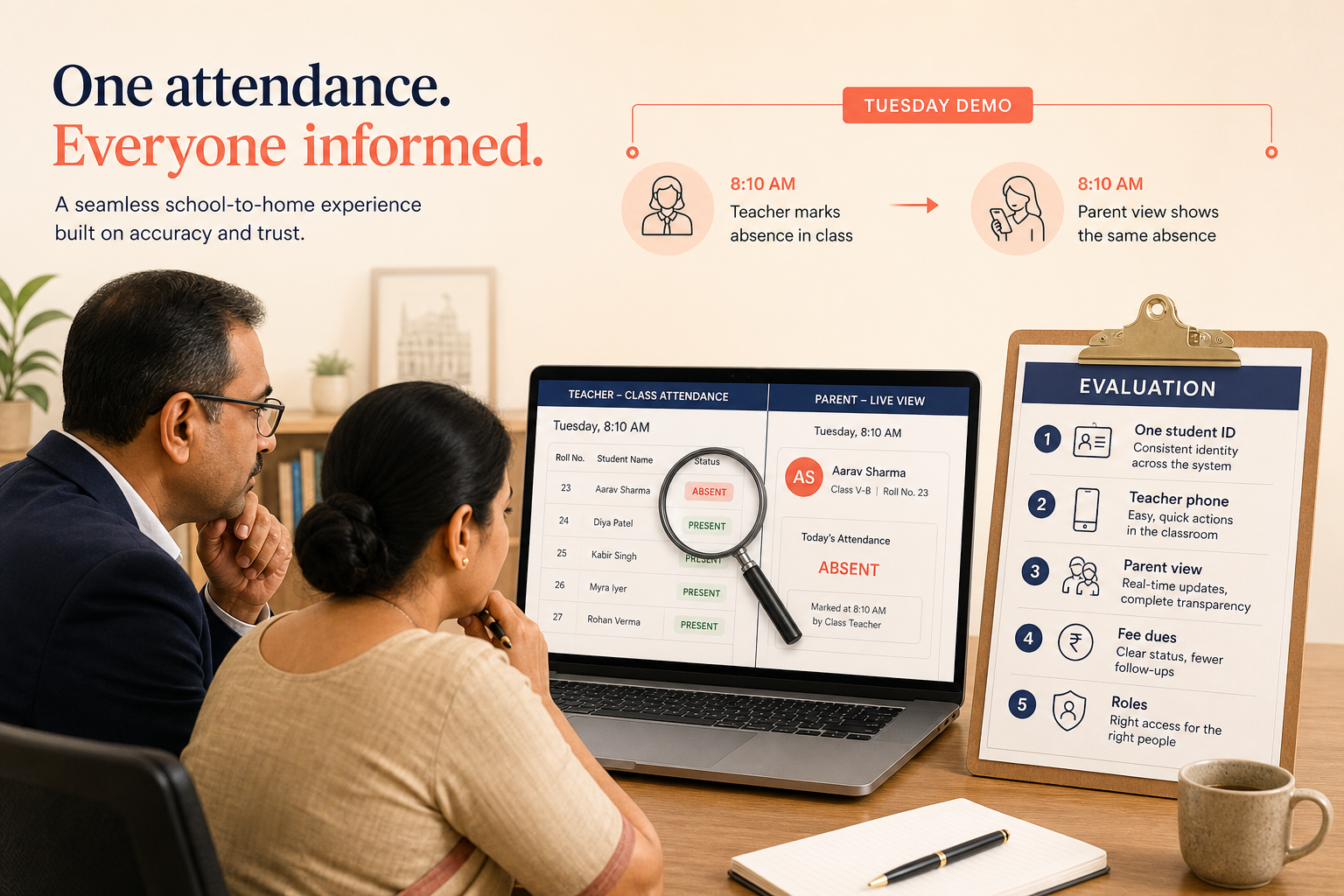
The 5-step school digitalization filter
- One identity: every module must use the same student and staff record.
- Classroom fit: teachers must be able to complete attendance and diary without a training seminar every week.
- Office fit: fee dues and receipts must not require a parallel Excel file.
- Parent fit: a parent should see attendance, fees, and results without calling the front desk.
- Control: roles, backups, and an exit path for your data.
What to demand in a demo
Do not watch a slide of “analytics.” Ask the vendor to admit a student, assign a class, mark one day’s attendance, post a fee, and show what the parent sees. Then ask them to change the class teacher and show whether yesterday’s attendance still belongs to the right child.
Demo theatre vs a useful demo
| If they show you… | Ask instead… |
|---|---|
| A colourful dashboard | The screen a class teacher uses at 8:10am |
| 50 report templates | The report you filed last inspection, produced from live data |
| AI features | Who enters the data those features need, and when |
| A mobile mockup | A live parent view of unpaid fees and today’s absence |
Questions vendors dislike — ask them anyway
School ERP evaluation — 25 questions
- Where does a student’s unique ID live, and which modules read it?
- Can two fee structures exist in the same academic year?
- How are concessions and sibling discounts recorded?
- What happens if a student changes section mid-term?
- Can a teacher mark attendance offline or only with perfect Wi-Fi?
- Who can edit attendance after it is submitted?
- How are exam grade books locked after publishing?
- Can results go to parents without giving parents staff logins?
- How are timetable clashes detected?
- Is transport tied to the same student as fees?
- Can library fines appear on the fee record or are they a separate cash box?
- What roles exist out of the box, and can we create a custom one?
- Who can export the full student list?
- How is backup tested — not promised?
- Where is data hosted, and in which country?
- What is the support channel during admission week?
- How long does a typical teacher onboarding take?
- Can we import last year’s marks and fee receipts?
- What is not included in the quoted price (SMS, devices, extra campuses)?
- Can we run a second campus without a second database?
- What does a failed payment or failed message look like in the audit log?
- Can we turn a module off so staff are not staring at unused screens?
- How do you handle a teacher who leaves and must lose access the same day?
- If we leave, what format do we get our data in?
- Will you do the demo with our class names, not sample data named “Demo School”?
Price is not the same as cost
The licence fee is visible. The cost of double entry, unpaid fees that were never followed up, and parents who stop trusting notices is not. We do not publish a fake “schools save X%” figure. The actual saving depends on how much duplicate work you retire. If Excel remains the real system of record, you bought a reporting skin.
Devzin perspective
During school ERP implementation, one issue that frequently gets overlooked is role design. Schools copy the vendor’s default admin user for six people. Then a clerk can see salary data, and a teacher can edit fee heads. Fix roles before you migrate history.
If you want a platform that already treats academics, fees, transport, and parent communication as one campus record, look at Orbit school management software and use this checklist in the demo — including against us.
FAQ
Should we choose software used by the largest school in the city?
Only if their operating model matches yours. A 4,000-student group with an IT team has different needs than a 400-student school where the accountant is also the exam coordinator. Fit beats brand name.
Is cloud always better than installing on a school PC?
Cloud removes the “the computer in the office died” failure. On-premise can still make sense where connectivity is unreliable — but then backups and remote parent access become your problem. Choose the constraint you can live with.
How long should implementation take?
It depends on data quality and how many parallel tools you are retiring. A school that still has three spellings of every student name will spend more time on cleanup than on training. Plan for a term of parallel running, not a weekend cutover, unless the dataset is already clean.
Looking for a platform that keeps academics, fees, and parent communication on one student record? Orbit ERP is Devzin’s school and college ERP — available for schools to review in a demo.