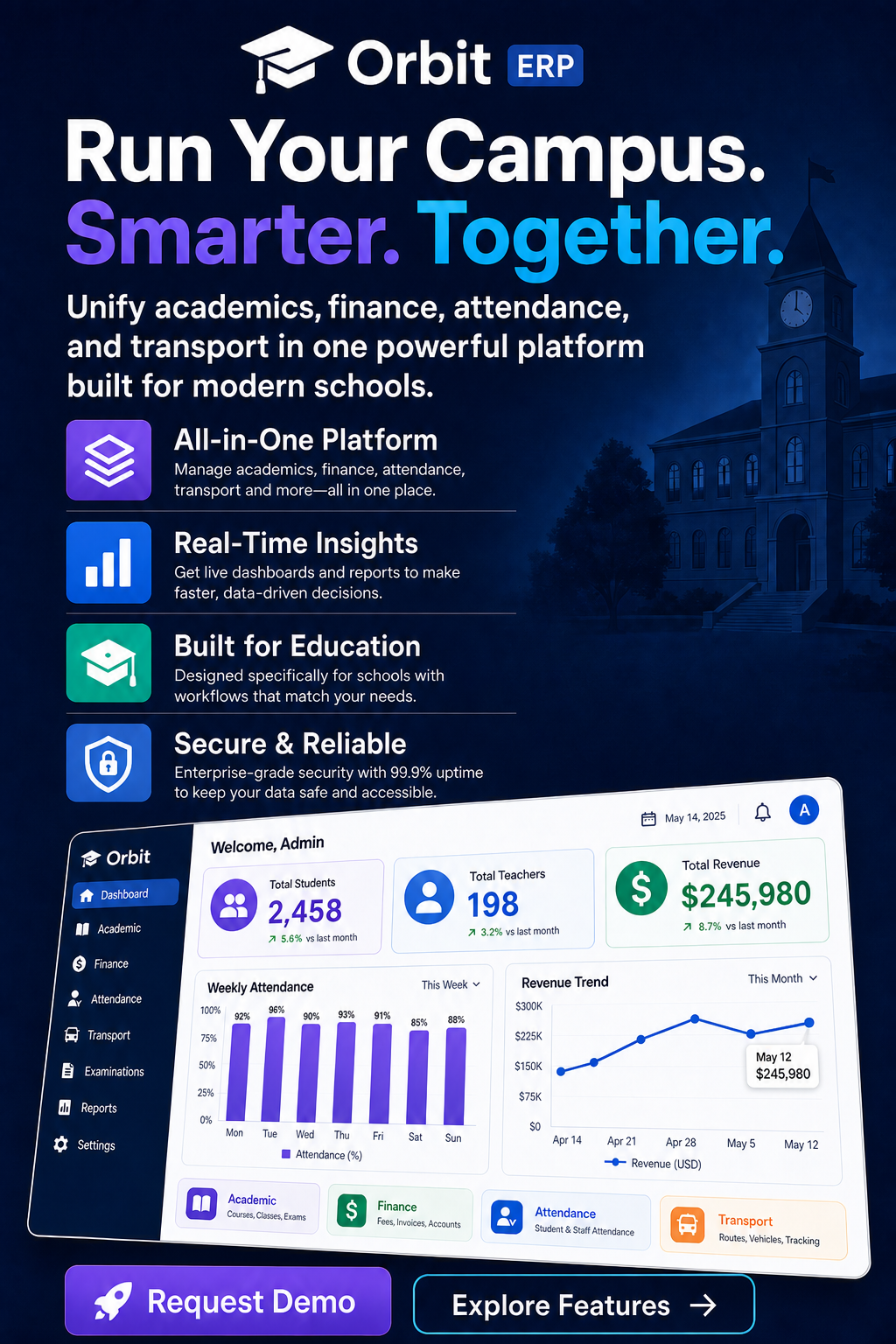
School modules — not sold as add-ons
Portals — admin, teacher, student, parent
Hosted campus platform — no school server
What is Orbit school management software?
Orbit is school management software that runs admissions, attendance, exams, fees, transport, and parent communication from one hosted system — for K-12 schools, colleges, and coaching centres. Built and hosted by Devzin.
Not affiliated with other products named Orbit ERP.
The school does not run an ERP server
Still on registers, Excel, and WhatsApp
Attendance, fees, exams, transport, parent updates
Pricing is set with your campus on a walkthrough — we do not publish a public list price.
If your office still runs on registers and WhatsApp, start here.
Orbit is not a generic office ERP with a school skin. While designing it, we mapped the jobs a principal, class teacher, and accountant repeat every week — then put those jobs in one campus system.
Morning attendance
TodayPaper registers, then someone types them into Excel after assembly.
With OrbitTeachers mark digitally — or Orbit records check-in with face or fingerprint — and parents get an alert the same day.
Fee follow-up
TodayReceipt books, a dues spreadsheet, and office staff calling families one by one.
With OrbitSee who has paid, what is overdue, and send reminders from the same fee module that payroll already uses.
Parent questions
TodayWhatsApp groups, missed calls, and no single place for diary, marks, or the bus.
With OrbitParents open their portal for attendance, results, fee status, announcements, and live transport.
Who can see what
TodayShared logins or a staff member who can open every student file.
With OrbitAdmin, teacher, student, and parent portals — with RBAC so each role only sees its work.
What to ask any school ERP before you switch
Use this list on a demo — including ours. If a vendor cannot show these in the product, you will be back on Excel by the next term.
Book an Orbit walkthrough- Attendance, fees, exams, transport, and diary in one login
- Separate portals for admin, teachers, students, and parents
- All modules included — not sold as add-ons later
- Hosted by Devzin, so the school does not run its own ERP server
- Mobile apps for teachers and parents alongside the web dashboard
- A walkthrough mapped to your classes, fee structure, and roles before you go live
What we cover on the Orbit demo

Map your school week
We walk attendance, fees, and parent updates against the jobs your office already does — not a canned product tour.


See every portal
Admin, teacher, student, and parent views, with the roles your staff will actually log in as on day one.

Leave with a plan
Classes, fee structure, and go-live steps for your campus. No spam, and no one-size timeline promise.

See Orbit against your school's week.
Tell us your role and institution. We will walk the jobs your office repeats every week — not a generic slide deck.
- Attendance, diary, and same-day parent alerts
- Fees, dues, and the modules your office actually uses
- Admin, teacher, student, and parent portals — not a generic deck
form




One ERP, four portals
Each user sees only what they need. Admins run the school, teachers manage classes, and students and parents stay connected.

School Admin
Full control over institution settings, users, fees, reports, and every module from one dashboard.
- School settings & permissions
- Fee and salary overview
- Backup & restore

Teachers
Mark attendance, manage assignments, enter exam marks, and update the daily diary without paperwork.
- Attendance & assignments
- Exam marks entry
- Parent communication

Students
View timetable, attendance, homework, exam results, and fee status from web or mobile.
- Timetable & diary
- Results & attendance
- Assignment tracking

Parents
Stay informed with fee reminders, attendance alerts, exam results, and school announcements.
- Fee payment status
- Daily diary updates
- SMS & notifications
A teacher sees their class. A parent sees their child.
Shared logins are how student files leak. Orbit gives each person their own portal. The technical names are RBAC, ABAC, and OPA — the result is simple: nobody opens a record they are not assigned.
RBAC — Role-based access
Assign roles like admin, teacher, student, or parent — each portal shows only the modules that role is allowed to use.
ABAC — Attribute-based rules
Go beyond roles with context — teachers see only their classes, supervisors their campus, and staff their assigned school.

OPA — Policy engine
Permissions are enforced by Open Policy Agent — centralized, auditable policies instead of hard-coded checks scattered in code.
A PaaS ERP every school can run on its own
Orbit is delivered as a secure PaaS platform — each school or institution gets its own isolated environment with dedicated data, users, and settings. Run your campus independently without sharing infrastructure with other organisations.
Tenant isolation — Per school
Each school gets its own dedicated environment — your data, users, and settings stay yours, always separated from other institutions.

Multi-campus — Centralised control
Run multiple campuses under one organisation with shared oversight while keeping each location independently managed.
Enterprise security — Encrypted & policy-driven
End-to-end encryption with RBAC, ABAC, and OPA policies — the same access model that protects every role on campus.
Fully hosted — Zero server management
Devzin hosts, maintains, and updates the platform — your IT team focuses on teaching, not infrastructure.
From demo to live campus in four steps
Book a demo
Walk through Orbit with our team and see how all the modules map to your school's workflows.
Configure your campus
Set up classes, academic year, fee structures, roles, and school settings tailored to your institution.
Train your staff
Onboard admins and teachers with guided training, documentation, and hands-on support from Devzin.
Go live
Roll out to teachers, students, and parents on web and mobile — with ongoing support when you need it.
Every module in Orbit ERP
These are the modules in the Orbit sidebar — all included. Attendance, fees, exams, transport, library, and the rest are not sold later as add-ons.
Students
Enrolment, profiles, and student records in one place.
Classes
Sections, class teachers, and academic-year structure.
Teachers
Staff records, subjects, and class assignments.
Attendance
Digital or biometric mark, with same-day parent alerts.
Timetable
Period plans and clash-aware schedules for the week.
Exams
Marks entry, seating, and results on student and parent portals.
Assignments
Homework set, tracked, and visible to students and parents.
Daily Diary
Class updates without a separate WhatsApp broadcast.
Fees
Structures, dues, receipts, and reminders from one ledger.
Salary
Payroll in the same system as fee collection.
Leaves
Staff leave requests and approvals, not a side spreadsheet.
Transport
Routes, vehicles, and live bus ETAs for parents.
Library
Issues, returns, and fine collection.
Stationery
Stock for books and supplies the office already tracks.
Dress & Uniform
Uniform issue and tracking across classes.
Communication
Announcements and alerts instead of scattered groups.
Templates
Reusable documents the office prints every term.
School Settings
Academic year, roles, and campus configuration.
Backup & Restore
Data protection built in — Devzin hosts the platform.
Spreadsheets vs. Orbit ERP
Most schools juggle separate tools for fees, attendance, and communication. Orbit ERP replaces that chaos with one connected system.
| Task | Manual / Excel | With Orbit ERP |
|---|---|---|
| Attendance | Paper registers, slow reports | Digital marking + parent alerts |
| Fee collection | Receipt books, chasing dues | Online tracking + auto reminders |
| Exam results | Weeks to compile & print | Enter marks, publish instantly |
| Parent updates | Phone calls & WhatsApp groups | Diary, SMS & app notifications |
| Transport | Separate route lists | Routes, stops & student mapping |
Orbit vs. popular school management software
Sixteen things schools ask us about, checked against what each vendor lists on its own website.
| Feature | Orbitby Devzin | Fedena | Entab | Teachmint | Edunext | SchoolKnot | Classe365 | PowerSchool |
|---|---|---|---|---|---|---|---|---|
| 50+ modules | All included | Fedena — Listed: 100+ modules claimed | Entab — Listed: About 75 modules listed | Teachmint — Not listed | Edunext — Partial: 40+ modules stated | SchoolKnot — Not listed | Classe365 — Not listed | PowerSchool — Not listed |
| AI integration | Built in | Fedena — Not listed | Entab — Listed | Teachmint — Listed | Edunext — Listed | SchoolKnot — Not listed | Classe365 — Listed: Paid add-on | PowerSchool — Listed |
| WhatsApp & SMS | Built in | Fedena — Partial: SMS only | Entab — Listed | Teachmint — Partial: SMS only | Edunext — Listed | SchoolKnot — Partial: SMS only | Classe365 — Listed | PowerSchool — Partial: Text only |
| Run multiple schools with 1 licence | One licence | Fedena — Partial: Multi-school; licence terms not stated | Entab — Partial: Multi-branch; licence terms not stated | Teachmint — Partial: Devices only | Edunext — Partial: Multi-campus; licence terms not stated | SchoolKnot — Listed | Classe365 — Partial: Linked separate accounts | PowerSchool — Listed: District-wide |
| Multiple roles for all management | Admin to driver | Fedena — Listed | Entab — Listed | Teachmint — Listed | Edunext — Listed | SchoolKnot — Listed | Classe365 — Listed | PowerSchool — Listed |
| Free demo, setup & training | All free | Fedena — Partial: Free demo; training by plan | Entab — Partial: Free demo only stated | Teachmint — Partial: Free demo and onboarding | Edunext — Partial: Free demo only stated | SchoolKnot — Partial: Free demo only stated | Classe365 — Partial: Free demo, no setup fee | PowerSchool — Partial: Demo; training paid |
| Free data migration | Free | Fedena — Partial: Import tools; onboarding by plan | Entab — Not listed | Teachmint — Not listed | Edunext — Partial: Import offered; not stated free | SchoolKnot — Not listed | Classe365 — Partial: Paid service | PowerSchool — Partial: Paid service |
| Live GPS transport management | Included | Fedena — Listed | Entab — Listed | Teachmint — Listed | Edunext — Listed | SchoolKnot — Listed | Classe365 — Not listed | PowerSchool — Partial: Via partners |
| Digital library | Included | Fedena — Listed | Entab — Listed | Teachmint — Partial: Mentioned, no module page | Edunext — Listed | SchoolKnot — Listed | Classe365 — Listed | PowerSchool — Partial: Via partner |
| Exams & seating management | Included | Fedena — Partial: Exams; seating not listed | Entab — Partial: Exams; seating not listed | Teachmint — Partial: Exams; seating not listed | Edunext — Partial: Exams; seating not listed | SchoolKnot — Partial: Exams; seating not listed | Classe365 — Partial: Assessments; seating not listed | PowerSchool — Partial: Assessments; seating not listed |
| Uniforms management | Included | Fedena — Not listed | Entab — Not listed | Teachmint — Not listed | Edunext — Listed | SchoolKnot — Not listed | Classe365 — Partial: Sold via e-store only | PowerSchool — Not listed |
| Books inventory & eCommerce | Included | Fedena — Partial: Inventory; no online store | Entab — Partial: Inventory and tuck shop | Teachmint — Partial: General inventory | Edunext — Listed | SchoolKnot — Not listed | Classe365 — Listed | PowerSchool — Partial: Via partners |
| Organization chart | Included | Fedena — Not listed | Entab — Not listed | Teachmint — Not listed | Edunext — Not listed | SchoolKnot — Not listed | Classe365 — Partial: Campus hierarchy only | PowerSchool — Not listed |
| Digital attendance integration | Face & fingerprint | Fedena — Listed | Entab — Listed | Teachmint — Partial: Face on own panel only | Edunext — Listed | SchoolKnot — Listed | Classe365 — Partial: QR / barcode only | PowerSchool — Partial: Via partners |
| Lifetime support | Lifetime | Fedena — Not listed | Entab — Not listed | Teachmint — Not listed | Edunext — Not listed | SchoolKnot — Not listed | Classe365 — Not listed | PowerSchool — Not listed |
| Free $1,000 server credits / year | Every year | Fedena — Partial: Free hosting in plans; no credits | Entab — Not listed | Teachmint — Not listed | Edunext — Not listed | SchoolKnot — Not listed | Classe365 — Not listed | PowerSchool — Not listed |
- Legend — Listed Listed on vendor site
- Legend — Partial Partial, paid, add-on or via partner
- Legend — Not listed Not listed on vendor site
Based on each vendor’s public website, checked October 2026. Hover a mark for details. Spotted something out of date? Tell us and we’ll correct it.
Campus numbers without a weekend in Excel
This is the part most principals ask about on a walkthrough. Orbit answers with the data already in attendance, exams, and fees — not a separate analytics product.

Attendance insights
See who is present by class and day — without collecting paper registers after assembly. Parents already get the same-day alert from the attendance you marked.

Exam and result views
Enter marks once. Publish results to student and parent portals, and print digital report cards from the same exam record — not a second spreadsheet.

Fee collection view
Open the fee module to see who has paid, what is overdue, and send reminders from the same place payroll already uses. No separate dues book.
A Monday-morning checklist
Use this on a demo — including ours. If the vendor cannot open these views in the live product, you will still be emailing spreadsheets next term.
| What the office asks | Where Orbit shows it |
|---|---|
| Who was absent yesterday in Class 8? | Attendance report for that class and date — not a register on the clerk’s desk. |
| Which families still owe term fees? | Fee dues list, then send reminders from the same screen. |
| Can parents see this term’s marks yet? | Publish from exams. The parent portal shows the same result you entered. |
| I need a copy for the management meeting. | Export the view as PDF. Role-based access keeps a teacher in their classes only. |
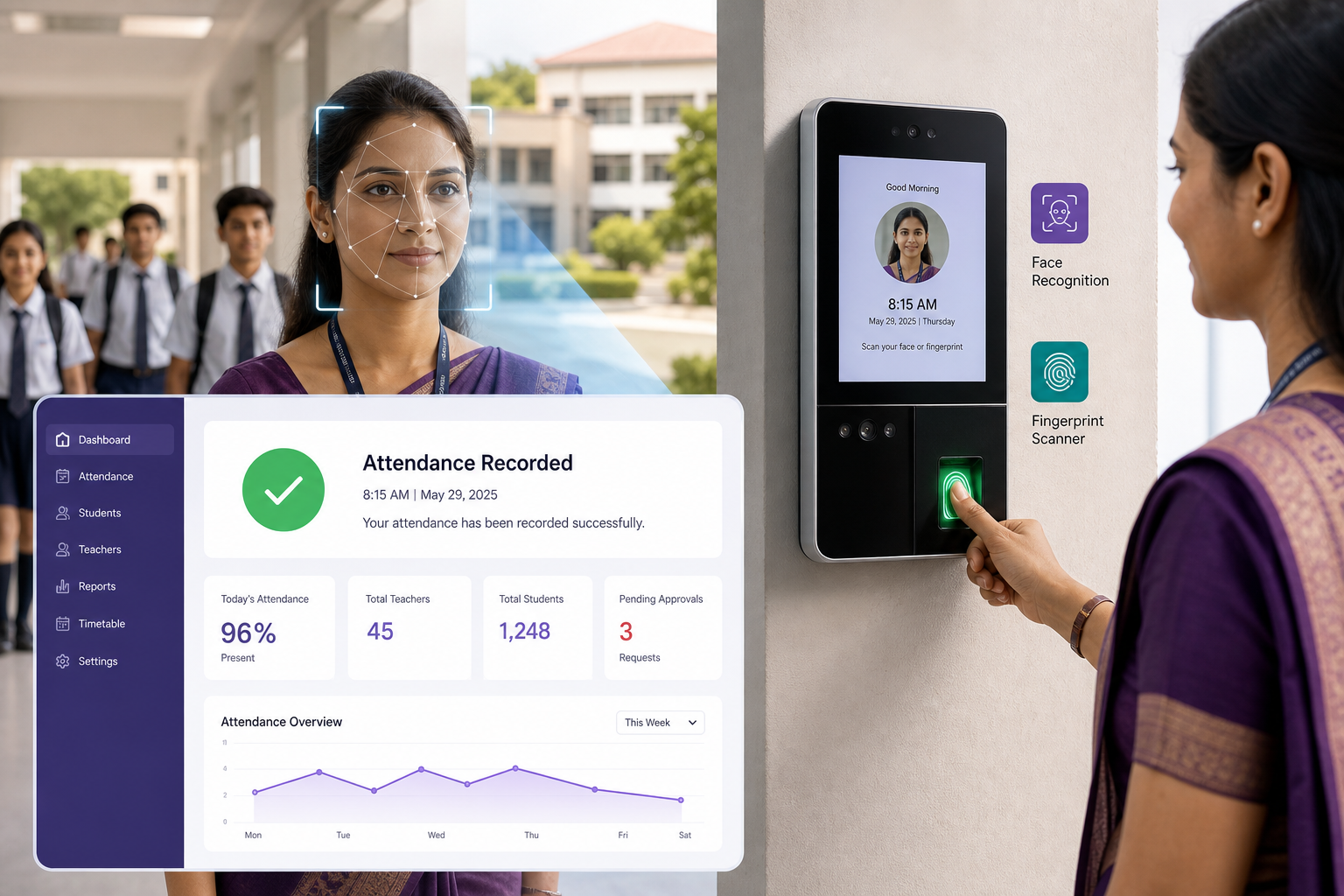
Automatic attendance recording for teachers & schools
Skip manual roll calls and paper registers. Orbit records student and staff attendance automatically using face recognition and thumb impression — synced to your dashboard and parent app in real time.
- Face recognition check-in at school gates and classrooms
- Fingerprint / thumb impression for staff and student verification
- Instant absentee alerts to parents via SMS and mobile app
- Daily, weekly, and class-wise attendance reports for admins
Smart school transport with live parent tracking
Orbit Transport helps schools run safe, organized bus operations — while parents track their child's ride from pickup to drop-off without a single phone call.
- Assign students to routes, stops, and vehicles in minutes
- Track buses live and share ETA with parents automatically
- Manage drivers, helpers, vehicles, and transport fees together

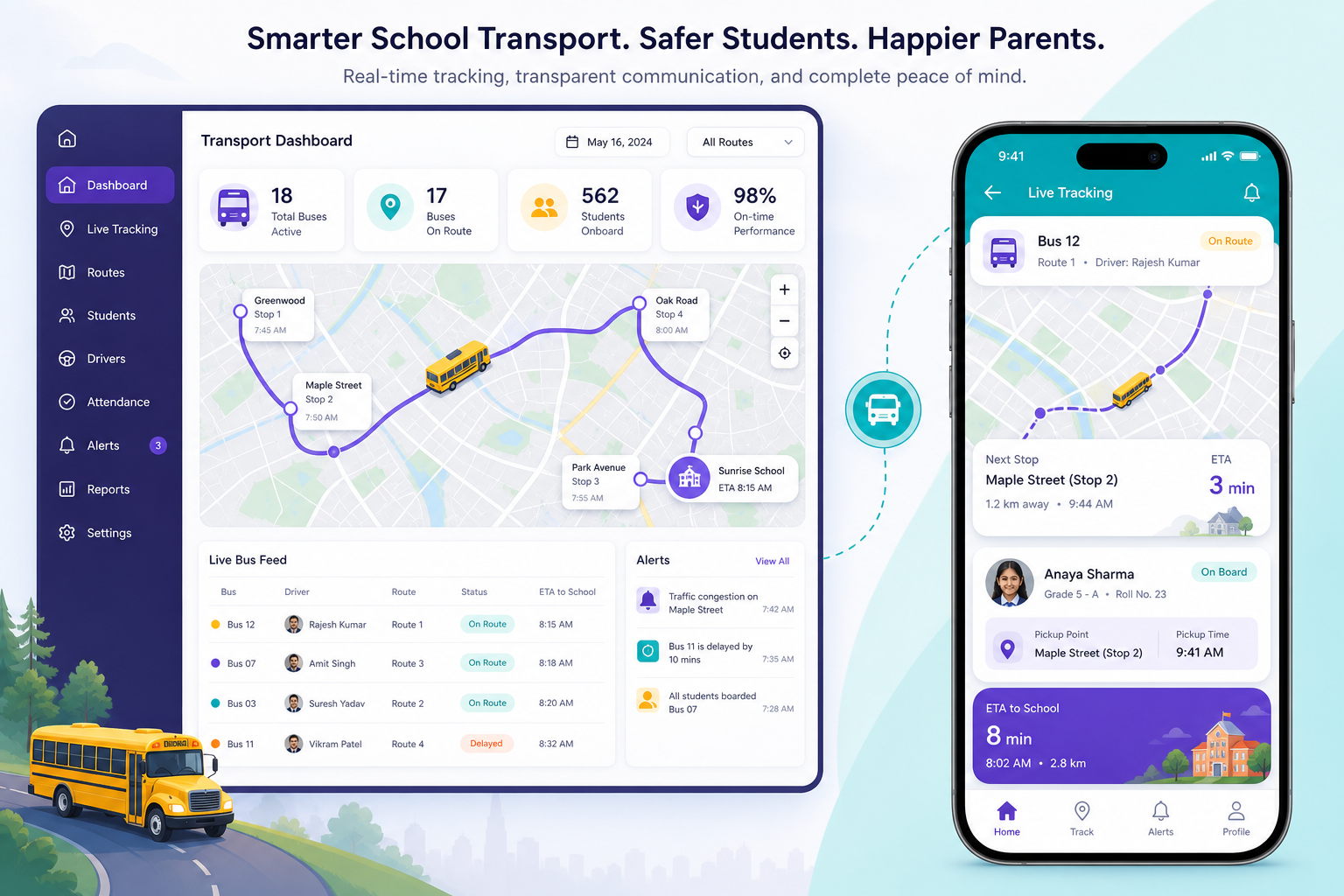
Live GPS Tracking
Parents follow the school bus in real time on the mobile app with accurate ETA updates.

Routes & Stops
Create bus routes, assign pickup and drop points, and map students to the right stops.
Drivers & Vehicles
Manage driver profiles, vehicle details, capacity, and maintenance records in one place.
Parent Alerts
Send automatic notifications when the bus is nearby, delayed, or has reached the stop.
Automatic school timetable for every role on campus
Orbit Timetable Generator lets principals build class-wise schedules with drag-and-drop, manage periods, assign proxy teachers on leave days, and alert everyone when the next period starts — with separate views for teachers and students.

Drag & drop builder — Class & section wise
Build weekly timetables visually — drag subjects onto periods for any class and section, with colour-coded slots showing teacher and room.
Period alerts — Everyone notified
Automatic reminders alert principals, teachers, and students before each period starts — so no one misses a class or arrives late.
Proxy teachers — Leave date context
When a teacher is on leave, assign a substitute using leave-date context — pick from available teachers and update the slot instantly.
Class & teacher views — Separate portals
Switch between class timetable and teacher timetable in one click — students and teachers each see their own daily schedule on web and mobile.
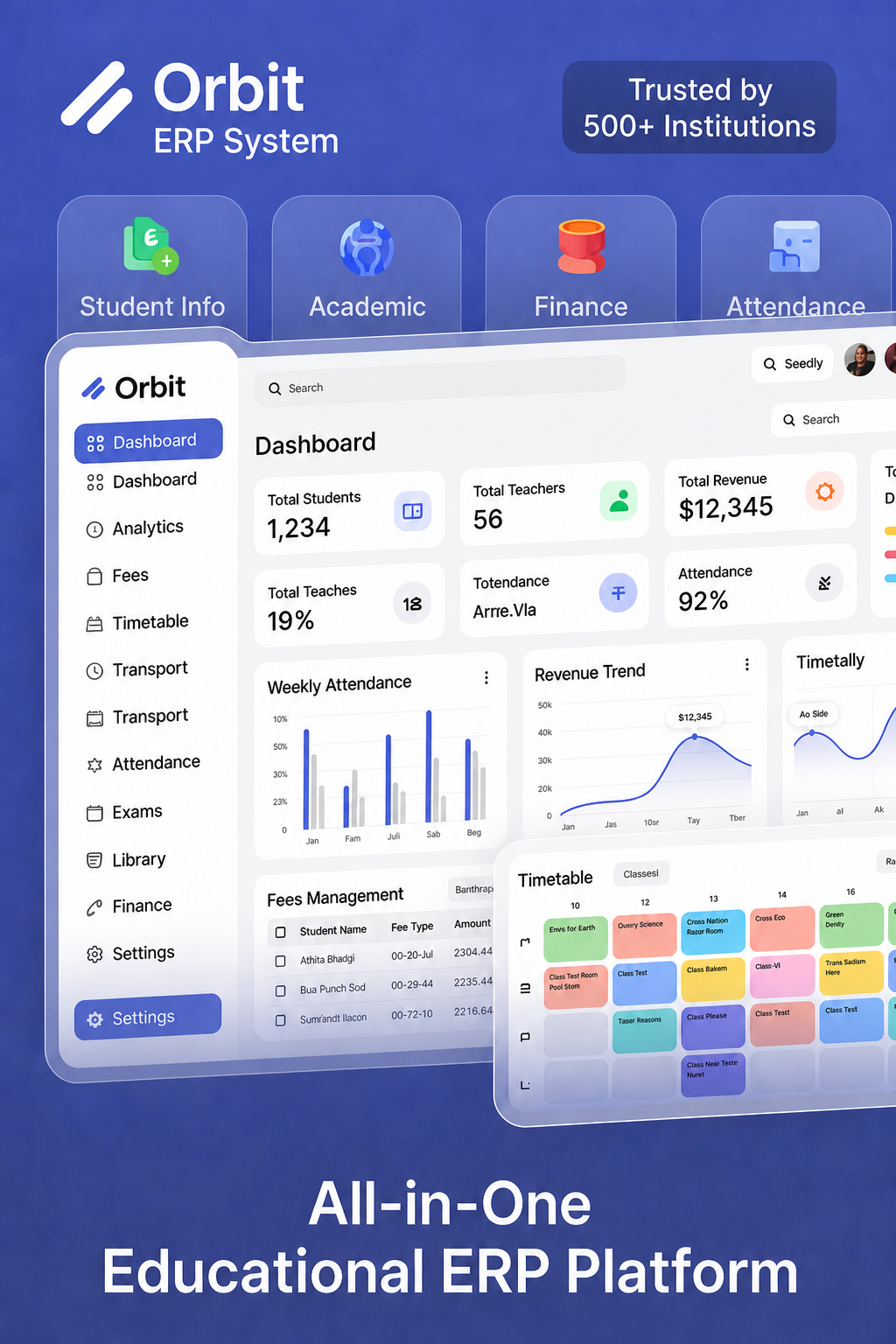
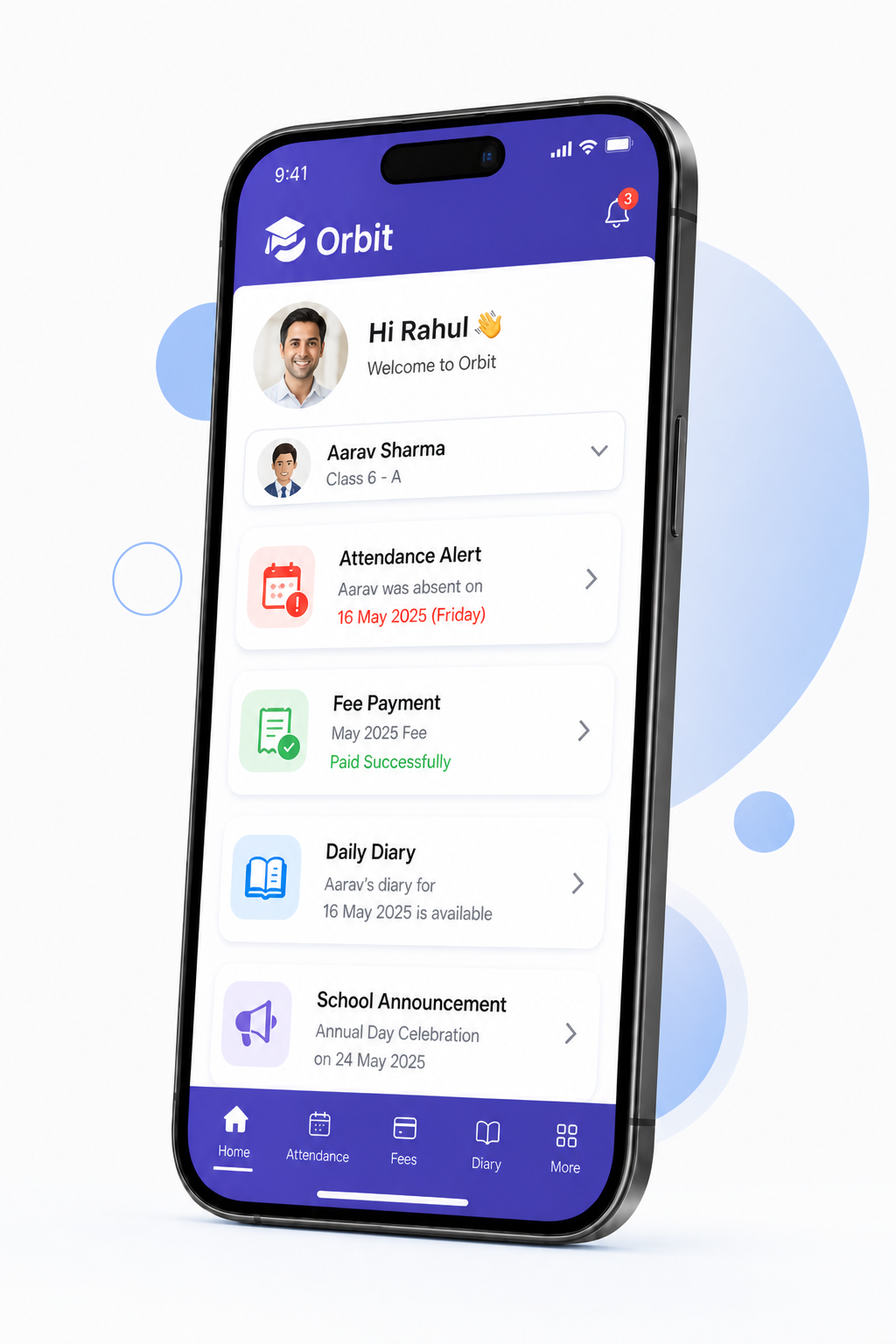
Run your entire school digitally
Orbit connects every department — admissions, academics, finance, transport, library, and parent communication — in one school management system your staff already knows how to navigate.
- All modules matching your actual app — nothing missing
- Admin, teacher, student, and parent portals with role-based access
- Web dashboard plus iOS and Android for on-the-go management


School management software for every institution type
Whether you run a single school or a multi-campus group, Orbit covers the same campus process — classes, fees, staff, transport, and parents.
K-12 Schools
Admissions, timetables, attendance, exams, fee collection, transport, uniforms, and parent communication — all from one system.
Colleges & Universities
Multi-department course planning, faculty management, exam workflows, and campus-wide reporting for higher education.

Coaching Centres
Batch scheduling, student progress, fee management, and automated parent communication for tutoring institutes.

Multi-Campus Groups
Centralized reporting with per-campus control — manage admissions, fees, and staff across every branch.

International Schools
Multi-curriculum support, diverse fee structures, and parent communication across languages and time zones.

Vocational & Skill Institutes
Batch-based programs, certification tracking, placement records, and fee plans built for training academies.
Everything included. Nothing extra.
Schools lose months buying attendance now and transport later. Orbit includes every module, all four portals, and web plus mobile from day one — so the campus does not grow into a second invoice.


All the modules included

Four portals, one campus

Hosted — no school server
School management software questions
Straight answers on what Orbit includes, how setup works, and how your data stays safe.
School management software is one system a school uses to run daily operations — admissions, attendance, timetables, exams, fees, staff, transport, and parent communication — instead of separate registers, spreadsheets, and WhatsApp groups. Orbit by Devzin is school management software for schools, colleges, and coaching centres, with web and mobile portals for admins, teachers, students, and parents.
Orbit is school management software from Devzin for schools, colleges, and coaching centres. The official page is https://devzin.com/platform/orbit. It includes 50+ modules for students, attendance, fees, exams, transport, library, and parent communication — with web and mobile apps for admins, teachers, students, and parents. It is not affiliated with other products that also use the name Orbit ERP.
The terms overlap. School management software usually means the day-to-day tools — attendance, timetable, exams, parent updates. A school ERP adds the back office — fees, payroll, leave, inventory, and reporting — on the same record. Orbit covers both, so the attendance a teacher marks is the same data the fee office and parent portal use.
At minimum: student records, attendance, timetable, exams and report cards, fee collection with reminders, and a parent portal. Most schools also need staff leave and payroll, transport, library, and role-based access so a teacher only sees their classes. Ask any vendor to show these live in the product — including us.
Book a walkthrough with Devzin. We show how all the modules map to your school, then configure classes, the academic year, fee structures, and roles. After staff training, you roll out to teachers, students, and parents on web and mobile. Timeline depends on your campus size and data — we set that with you on the call, not as a one-size promise.
No. Orbit includes all modules, four user portals, and web plus mobile access as standard. You are not asked to buy attendance, fees, or transport later as add-ons.
No. Orbit is delivered as a hosted PaaS platform. Each school gets its own isolated environment. Devzin hosts, maintains, and updates it so your IT team is not running servers.
Yes. The parent portal shows fee status, attendance, diary updates, exam results, and school announcements. Where you use Orbit Transport, parents can also follow the bus with live GPS and ETA updates.
No. The same product serves K-12 schools, colleges, coaching centres, and multi-campus groups. A single school can start with the full module set; a group can keep each campus isolated under one organisation.
Orbit uses role-based and attribute-based access, plus policy checks (OPA), so a teacher sees their classes and a parent sees their child — not the whole campus. Data is encrypted in transit and at rest, with backup and restore built in.
Devzin builds, hosts, and supports Orbit. Schools that want a local number can reach the India desk on +91 78272 72750. The official product page is https://devzin.com/platform/orbit.
No. Orbit on this page is Devzin's school management software only. Other vendors also market products called Orbit ERP. Devzin's product is only at https://devzin.com/platform/orbit.
There is no single public price. Devzin sets pricing with your school after a walkthrough of classes, fee structure, and roles. All listed modules and four portals are included — you are not asked to buy attendance or transport later as add-ons.
Yes. Orbit is school management software for K-12 schools, colleges, and coaching centres — not limited to one country. Schools in India can call the India desk on +91 78272 72750. Devzin hosts the system, and pricing is set for your campus on a walkthrough — not as a single public list price.
Yes. Devzin builds and hosts Orbit, school management and ERP software for admissions, academics, fees, HR, transport, library, and parent access. Custom application work for other industries is on the Devzin services pages.
Still have a question?
Send us a message and we will map a walkthrough to your campus.