

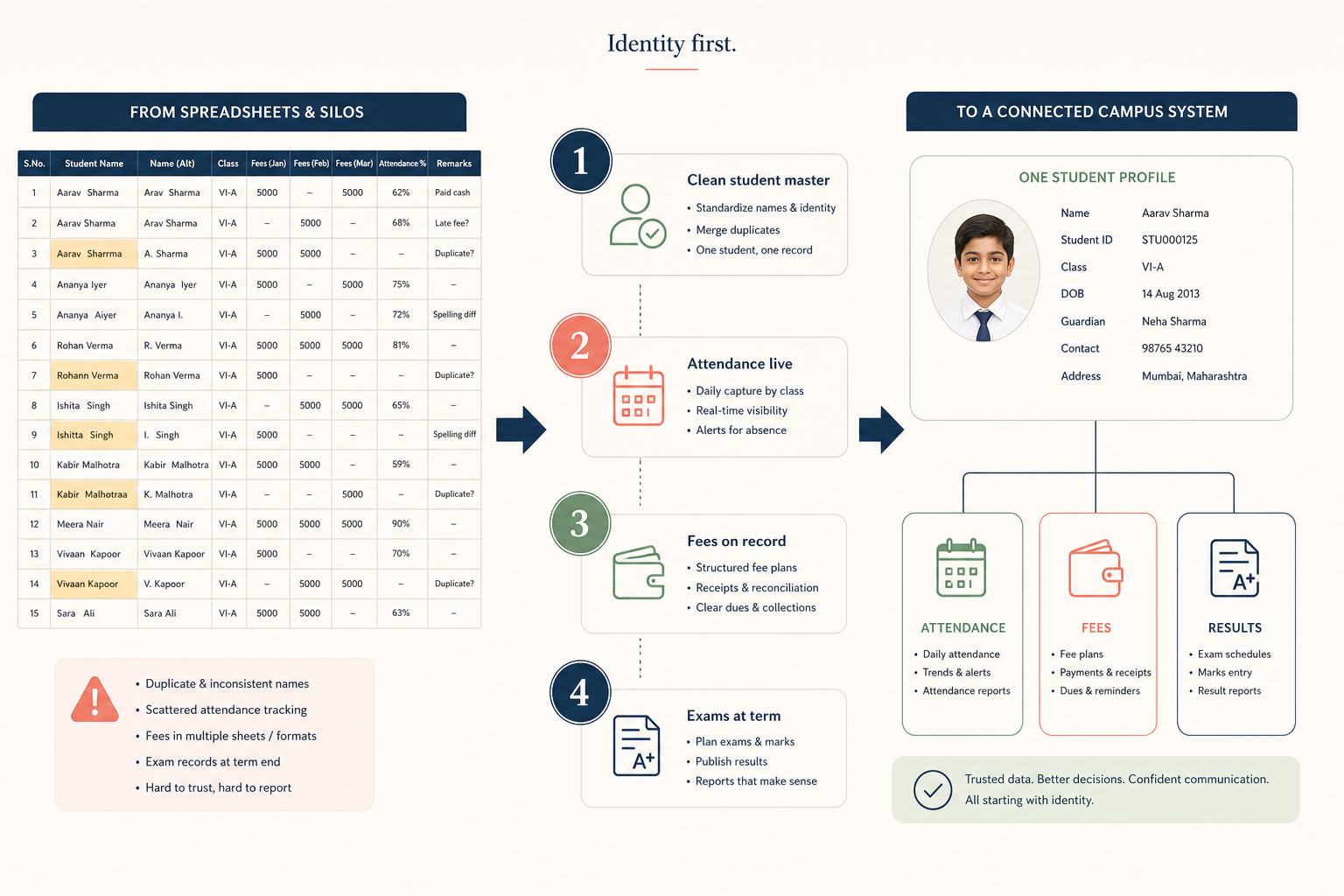
Excel is how most schools become “data driven” without meaning to. Admission lists, fee trackers, exam grids, and bus routes each get a workbook. Then a child changes spelling between files, a formula breaks, and only one person knows which sheet is true.
Moving to a school ERP is not a software install. It is a decision about which spreadsheet you are willing to stop treating as official. This is a sequence we recommend — shaped by implementations, including work on Orbit ERP.
Why Excel fails as a campus system
- No single student identity — names drift
- No roles — anyone with the file can see or overwrite salary-adjacent tabs
- No parent view — the office becomes a helpdesk for cells
- No audit trail — you cannot say who changed a mark on Thursday
- No concurrent truth — two people save two versions
Excel vs school ERP
What each tool is actually good at
| Job | Excel | School ERP |
|---|---|---|
| Ad-hoc analysis | Excellent | Use exports if needed |
| Daily attendance | Fragile | Designed for it |
| Fee dues across terms | Error-prone | Designed for it |
| Parent communication | Not a channel | Notices and portals |
| Multi-user operations | Conflict city | Roles and records |
A migration that schools can survive
- Freeze a student master: one row per child with a stable ID, class, and parent contacts. Clean duplicates before import.
- Go live on identity + attendance first so teachers have a daily reason to open the system.
- Move fees next, even if you collect cash — receipts must print from the ERP or Excel will remain official.
- Bring exams in at a term boundary, not mid-mark entry.
- Add diary, transport, and library only after the office stops maintaining parallel lists for the live modules.
- Keep Excel as a scratchpad for analysis. Ban it as the place money or marks are stored.
If you migrate marks before names are clean, you will spend the term arguing about which Rohan is which. Identity first. Vanity dashboards last.
What “done” looks like
You are not done when the vendor says go-live. You are done when a parent question about attendance or fees is answered from the system, and nobody opens last year’s workbook to double-check. Until then, you are running two schools: the digital one and the real one.
Common mistakes
- Importing every historic sheet on day one — start with the current academic year plus fee balances you must honour
- Training only the IT teacher — class teachers are the product
- Leaving WhatsApp as the official notice board after portals exist
For module scope, read What is school management software?. For buying criteria, use How to choose school management software.
FAQ
Should we run Excel and ERP together forever?
Run them in parallel only until a module is trusted. Permanent dual running is how migrations fail quietly.
What if our Excel is more detailed than the ERP screens?
Some local tracking will always exist. The test is whether money, attendance, and marks require Excel. If they do, the ERP is not live.
Looking for a platform that keeps academics, fees, and parent communication on one student record? Orbit ERP is Devzin’s school and college ERP — available for schools to review in a demo.